Server-to-Server Postbacks (v3)
[Recommended] Server-to-server postbacks deliver conversion events to your server using a POST request with a signed, structured JSON body. This is the production-grade reward path nearly every publisher uses.
AdGem can send postbacks for reward events and install events.
Reward Postbacks
These postbacks correspond to a player converting on a rewarded goal. Most offer goals are of this type. The conversion_type field will indicate this with a value of "reward".
Install Postbacks
By default, AdGem only sends postbacks on Payable Conversion events. If you would like to enable Install postbacks to be sent to you, please reach out to your dedicated Publisher Support Advocate so we can enable this for you!
These postbacks correspond to a player completing an install goal. Install goals are used primarily for tracking purposes, and they do not reward the player with in-game currency. The conversion_type field will indicate this with a value of "install".
Setting Up Your Postback
Enabling Server Postback
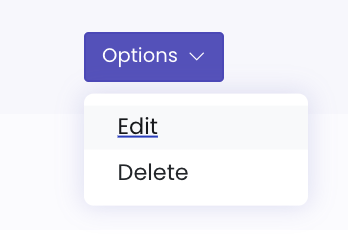
From the AdGem Dashboard navigate to Properties & Apps and choose Edit from the Options drop down menu.
Once on the Properties & Apps menu, scroll down until you see Postback Options. Click on the radio input next to Server Postback.

Several new fields will appear that will allow you to configure your server postback.
Postback Key
The first field is your Postback Key. Copy this key to a secure place as you will need it to verify postback signatures. For security reasons, the Postback Key will only be visible once. See the Securing Your Postbacks section below to learn more about this important feature.

Postback URL
Next, you will need to provide a Postback URL hosted on your server. A POST request will be made to the postback URL defined in your AdGem publisher dashboard every time a conversion occurs from your traffic sources.

Receiving AdGem Postbacks
Here is an example of the request body:
{
    "request_id": "01786456-b959-404a-baa7-05ef8a2e0290",
    "timestamp": 1720727170,
    "data": {
        "app_id": "2",
        "campaign_id": "1",
        "player_id": "bernhard.edison",
        "amount": 150,
        "payout": 1.5,
        "all_goals_completed": 1,
        "conversion_id": "c5eb2a9d-41a4-4088-80bb-ebc87bd1bb62",
        "app_version": "1.0",
        "ad_type": "offerwall",
        "country": "US",
        "c1": "custom value 1",
        "c2": "custom value 2",
        "c3": "custom value 3",
        "c4": "custom value 4",
        "c5": "custom value 5",
        "gaid": "bk9384xs-p449-96ds-r132",
        "idfa": "AB1234CD-E123-12FG-J123",
        "ip": "24.24.24.25",
        "os_version": "10.0.0",
        "platform": "Other",
        "state": "New York",
        "click_datetime": "2024-07-15 10:39:55",
        "conversion_datetime": "2024-07-15 10:39:55",
        "goal_name": "Reach level 20",
        "goal_id": "12345678911123456",
        "offer_name": "Romaguera-Harber",
        "tracking_type": "CPA",
        "allow_multiple_conversions": false,
        "store_id": "com.whatever.example",
        "offer_id": "12345678900123456",
        "conversion_type": "reward"
    }
}
Request Body Fields
Only request_id and timestamp are sent at the top level. All other fields below are nested inside the top-level data object, as shown in the example above.
| Field | Description |
|---|---|
| request_id | A unique ID for this postback request |
| timestamp | Unix timestamp (seconds since epoch) of when the postback was sent |
| app_id | The unique ID for your app on AdGem |
| campaign_id | The unique ID of the campaign/offer that was completed |
| player_id | The unique ID of the player/user on your system |
| amount | The amount of virtual currency to reward the user who completed the offer |
| payout | The decimal amount of revenue earned from the user completing the offer |
| all_goals_completed | Indicates if all goals have been completed for the campaign |
| conversion_id | The unique AdGem ID of the offer conversion |
| app_version | The version of your app where the click originated |
| ad_type | The type of ad unit where the click originated (for example offerwall) |
| country | The location (i.e., the ISO country code) of the user when the offer was completed |
| c1 | A custom parameter value as set by the publisher |
| c2 | A custom parameter value as set by the publisher |
| c3 | A custom parameter value as set by the publisher |
| c4 | A custom parameter value as set by the publisher |
| c5 | A custom parameter value as set by the publisher |
| gaid | Google advertising ID, available when the developer is using Google Play services |
| idfa | Apple advertising ID, available when the user has granted ATT authorization |
| ip | The IP address for the user who completed the offer |
| os_version | The user's operating system version number |
| platform | The platform this user's device is using (for example, iOS) |
| state | The user's state or region where they are located |
| click_datetime | The exact date and time when the user clicked on the offer |
| conversion_datetime | The exact date and time when the user completed the offer |
| goal_name | Indicates the name of the completed goal |
| goal_id | Indicates the unique ID of each goal in a campaign/offer that was completed |
| offer_name | The name of the campaign/offer that was completed as it shows in the Offerwall/API call |
| tracking_type | The type of offer/campaign completed (for example, CPI, CPE, CPA, CPC, Market Research) |
| allow_multiple_conversions | Boolean indicating if an offer allows for multiple conversions |
| store_id | The unique ID of the app campaign, as assigned by the Google Play Store or Apple App Store |
| offer_id | The unique offer version with which the user engaged |
| conversion_type | The type of the conversion (for example, "install" when the amount is 0, otherwise "reward") |
Retries
AdGem makes up to 3 attempts to deliver each postback: the initial attempt plus 2 retries. A retry is sent only if the previous attempt failed.
| Attempt | Sent |
|---|---|
| 1 | Initial attempt |
| 2 | 1 second after attempt 1 fails |
| 3 | 2 seconds after attempt 2 fails |
- Success is any
2xxresponse from your server. - Failure is any other response (including
4xxand5xx), a connection error, or a timeout. Each attempt times out after 20 seconds. - The backoff is exponential (multiplier of 2) with no jitter.
- The schedule is the same for all publishers and can't be configured per app.
Securing Your Postbacks
We provide two security measures for securing postback communication between AdGem and your server:
- IP Whitelisting - Verify the postback comes from AdGem's static IP
- Postback Hashing - Cryptographic verification of the postback integrity
We strongly recommend implementing both security measures to ensure postbacks are genuine. Without proper security, malicious actors could send fake postback requests to fraudulently earn virtual currency.
IP Whitelisting
Postbacks are sent from a static IP address. Whitelist this IP on your server. Contact your Publisher Support Advocate or Account Manager to get the production IP address.
Postback Hashing (v2 - GET Requests)
When you enable postback hashing by generating a Postback Key, you'll receive two new query parameters:
request_id- A unique UUID for each postback (no duplicates)verifier- A cryptographic hash for validation
Verification Process:
- Remove the
verifierparameter from the postback URL - Hash the remaining URL using HMAC-SHA256 with your postback secret key
- Compare the calculated hash with the
verifierparameter
- PHP
- Node.js
- Ruby
- Python
hash_hmac('sha256', $postback_url, $postback_secret_key)
Full Example (PHP 7.1+):
// securely supply credentials using environment variables
define('ADGEM_WHITELIST_IP', $_ENV['ADGEM_WHITELIST_IP']);
define('ADGEM_POSTBACK_KEY', $_ENV['ADGEM_POSTBACK_KEY']);

// verify the static IP
if(ADGEM_WHITELIST_IP !== $_SERVER['REMOTE_ADDR']) {
    http_response_code(403);
    exit('Error: '.$_SERVER['REMOTE_ADDR'].' does not match the whitelisted IP address.');
}

// get the full request url
$protocol = (isset($_SERVER['HTTPS']) && $_SERVER['HTTPS'] === 'on' ? "https" : "http");
$request_url = "$protocol://$_SERVER[HTTP_HOST]$_SERVER[REQUEST_URI]";

// parse the url and query string
$parsed_url = parse_url($request_url);
parse_str($parsed_url['query'], $query_string);

// get the verifier value
$verifier = $query_string['verifier'] ?? null;
if (is_null($verifier)) {
    http_response_code(422);
    exit("Error: missing verifier");
}

// rebuild url without the verifier
unset($query_string['verifier']);
$hashless_url = $protocol.'://'.$parsed_url['host'].$parsed_url['path'].'?'.http_build_query($query_string, "", "&", PHP_QUERY_RFC3986);

// calculate the hash and verify it matches
$calculated_hash = hash_hmac('sha256', $hashless_url, ADGEM_POSTBACK_KEY);
if ($calculated_hash !== $verifier) {
    http_response_code(422);
    exit('Error: invalid verifier');
}

// valid - safe to process the postback
http_response_code(200);
exit('OK');
CryptoJS.HmacSHA256(postbackUrl, postbackSecretKey).toString(CryptoJS.enc.Hex)
Full Example:
const http = require('http');
const { URL } = require('url');
const CryptoJS = require("crypto-js");

http.createServer(function (req, res) {
    // verify the static ip
    let ip = req.socket.remoteAddress;
    if (ip != process.env.ADGEM_WHITELIST_IP) {
        res.writeHead(422, { 'Content-Type': 'text/html' });
        return res.end('Error: ' + ip + ' does not match the whitelisted IP address.');
    }

    // get the full request url
    let protocol = (req.connection.encrypted ? 'https': 'http');
    let requestUrl = new URL(protocol + '://' + req.headers.host + req.url);

    // get the verifier value
    let verifier = requestUrl.searchParams.get('verifier');
    if (verifier == undefined) {
        res.writeHead(422, { 'Content-Type': 'text/html' });
        return res.end("Error: missing verifier");
    }

    // remove the verifier
    requestUrl.searchParams.delete('verifier');

    // calculate the hash and verify it matches
    let hash = CryptoJS.HmacSHA256(requestUrl.href, process.env.ADGEM_POSTBACK_KEY).toString(CryptoJS.enc.Hex);

    if (hash !== verifier) {
        res.writeHead(422, { 'Content-Type': 'text/html' });
        return res.end("Error: invalid verifier");
    }

    // valid - safe to process the postback
    res.writeHead(200, { 'Content-Type': 'text/html' });
    res.end('OK');
}).listen(process.env.PORT, '0.0.0.0');
OpenSSL::HMAC.hexdigest("SHA256", postback_secret_key, postback_url)
Full Example (Rails):
class PostbacksController < ApplicationController
    before_action :check_ip

    def store
        if params[:verifier].blank?
            logger.error "verifier is blank in url: #{request.original_url}"
            return render status: 403, json: {'success': false}
        end

        # remove verifier from url and keep order of params
        hashless_url = request.original_url.split('&verifier=')[0]

        calculated_hash = OpenSSL::HMAC.hexdigest("SHA256", ENV['POSTBACK_SECRET_KEY'], hashless_url)

        if calculated_hash != params[:verifier]
            return render status: 403, json: {'success': false}
        end

        # valid - safe to process the postback
        return render status: 200, json: {'success': true}
    end

    private

    def check_ip
        unless request.remote_ip == ENV['ADGEM_WHITELIST_IP']
            logger.error "#{request.remote_ip} is not whitelisted"
            return render status: 403, json: {'success': false}
        end
    end
end
hmac.new(postback_secret_key.encode('utf-8'), postback_url.encode('utf-8'), hashlib.sha256).hexdigest()
Full Example:
from http.server import BaseHTTPRequestHandler, HTTPServer
from urllib.parse import urlparse, parse_qs, urlencode
import hmac
import hashlib

class PostbackHandler(BaseHTTPRequestHandler):
    def do_GET(self):
        host = self.headers.get('Host')
        path = urlparse(self.path).path
        query_params = parse_qs(urlparse(self.path).query)

        # get and remove verifier
        verifier = query_params.get('verifier', [None])[0]
        if 'verifier' in query_params:
            del query_params['verifier']

        # rebuild url without verifier
        query_string = urlencode(query_params, doseq=True)
        url_without_verifier = f"http://{host}{path}"
        if query_string:
            url_without_verifier += f"?{query_string}"

        # calculate HMAC
        encoded_key = hmac.new(
            ADGEM_POSTBACK_KEY.encode('utf-8'),
            url_without_verifier.encode('utf-8'),
            hashlib.sha256
        ).hexdigest()

        if encoded_key == verifier:
            self.send_response(200)
            self.end_headers()
            self.wfile.write(b"OK")
        else:
            self.send_response(500)
            self.end_headers()
            self.wfile.write(b"Invalid verifier")
Signature Verification (v3 - POST Requests)
For v3 POST postbacks, verify the request by hashing the request body with your secret key using HMAC-SHA256 and comparing it to the Signature header.
- PHP (Laravel)
- Node.js (Express)
Route::post('/postbacks/adgem/v3', function () {
    $receivedSignature = request()->headers->get('Signature', '');
    $expectedSignature = hash_hmac('sha256', request()->getContent(), env('ADGEM_POSTBACK_KEY'));

    if (hash_equals($expectedSignature, $receivedSignature)) {
        return response()->noContent(200);
    } else {
        return response()->noContent(401);
    }
});
const express = require('express');
const crypto = require('crypto');

const app = express();
app.use(express.json({
    verify: (req, _res, buf) => { req.rawBody = buf; }
}));

app.post('/postbacks/adgem/v3', (req, res) => {
    const receivedSignature = req.get('Signature') ?? '';
    const expectedSignature = crypto
        .createHmac('sha256', process.env.ADGEM_POSTBACK_KEY)
        .update(req.rawBody)
        .digest('hex');

    // Compare hex strings as UTF-8 buffers to avoid silent
    // truncation from Buffer.from(str, 'hex') on malformed input
    const expected = Buffer.from(expectedSignature, 'utf8');
    const received = Buffer.from(receivedSignature, 'utf8');
    const isValid =
        expected.length === received.length &&
        crypto.timingSafeEqual(expected, received);

    if (isValid) {
        res.status(200).send();
    } else {
        res.status(401).send();
    }
});