Offer Event Webhooks
Exclusive to API Integrations
AdGem provides real-time Offer Level Webhooks to keep publishers informed about changes in offer status or availability between API calls. This feature helps mitigate latency and ensures users are only presented with available offers.
How It Works: AdGem sends webhooks outside of scheduled API calls when there are updates to an offer’s status or availability. This real-time notification system allows you to respond quickly and maintain a seamless user experience.
Structure
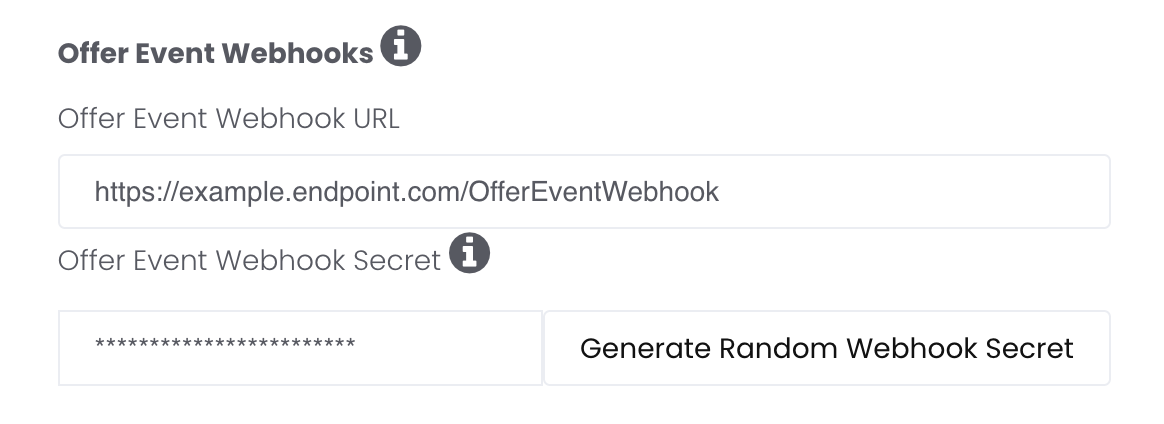
A POST request will be made to your webhook url. The webhook url can be placed and your secret token generated in the AdGem Publisher Dashboard in the Apps/Properties tab.
Here is an example of the request body:
{
    "type": "offer.removed",
    "timestamp": "2024-07-11T20:26:10.344522Z",
    "data": {
        "offerId": "123456789456123"
    }
}
Field |
Explanation |
|---|---|
| type | The type of change that has occurred. |
| timestamp | The unix time when the request was generated. Expect a slight delay between the time that the request is generated and the time it is received. |
| data.offerId | The unique id of the offer. See the id field in the Offer API Response. |
Available Webhooks
Type |
Explanation |
|---|---|
| offer.removed | Sent when an existing offer is removed and no longer available to new players. Players that have already started the offer will still be able to continue and finish. New players should not be shown the offer, as they are not eligible and will not be credited. Please note that removed offers may become live again due to capping. If the offer reappears in your API call, the offer is available for completion. |
| offer.updated | Sent when campaign metadata has been updated and/or changes have been made to the associated campaign's adcopy |
| offer.created | Sent when an offer id has been superseded for an existing campaign, or when a net new campaign ID is enabled for an app ID |
Retrying Failed Requests
When a webhook request is sent, a response with a 2xx-series status code is expected. If the response includes any other status code, the request will be retried up to three times. Be sure to account for this to avoid double-rewarding players.
Authentication
The webhook request headers contain a Signature. This is calculated by hashing the request body and the secret key using the HMAC-SHA256 algorithm. To authenticate the request, hash the request body and the secret key using the HMAC-SHA256 algorithm. Compare the result to Signature value to confirm a match.
Examples:
Route::post('/webhook-receiver', function () {
    $receivedSignature = request()->headers->get('Signature');

    $expectedSignature = hash_hmac('sha256', request()->getContent(), 'secret-key');

    if ($expectedSignature === $receivedSignature) {
        return response()->noContent(200);
    } else {
        return response()->noContent(401);
    }
});
const express = require('express');
const crypto = require('crypto');

const app = express();
const port = 3000;

app.use(express.json());

app.post('/webhook-receiver', (req, res) => {
    const receivedSignature = req.headers['Signature'];

    const postData = JSON.stringify(req.body);
    const expectedSignature = crypto.createHmac('sha256', 'secret-key').update(postData, 'utf8').digest('hex');

    if (expectedSignature === receivedSignature) {
        res.status(200).send();
    } else {
        res.status(401).send();
    }
});

app.listen(port, () => {
    console.log(`Server running on port ${port}`);
});